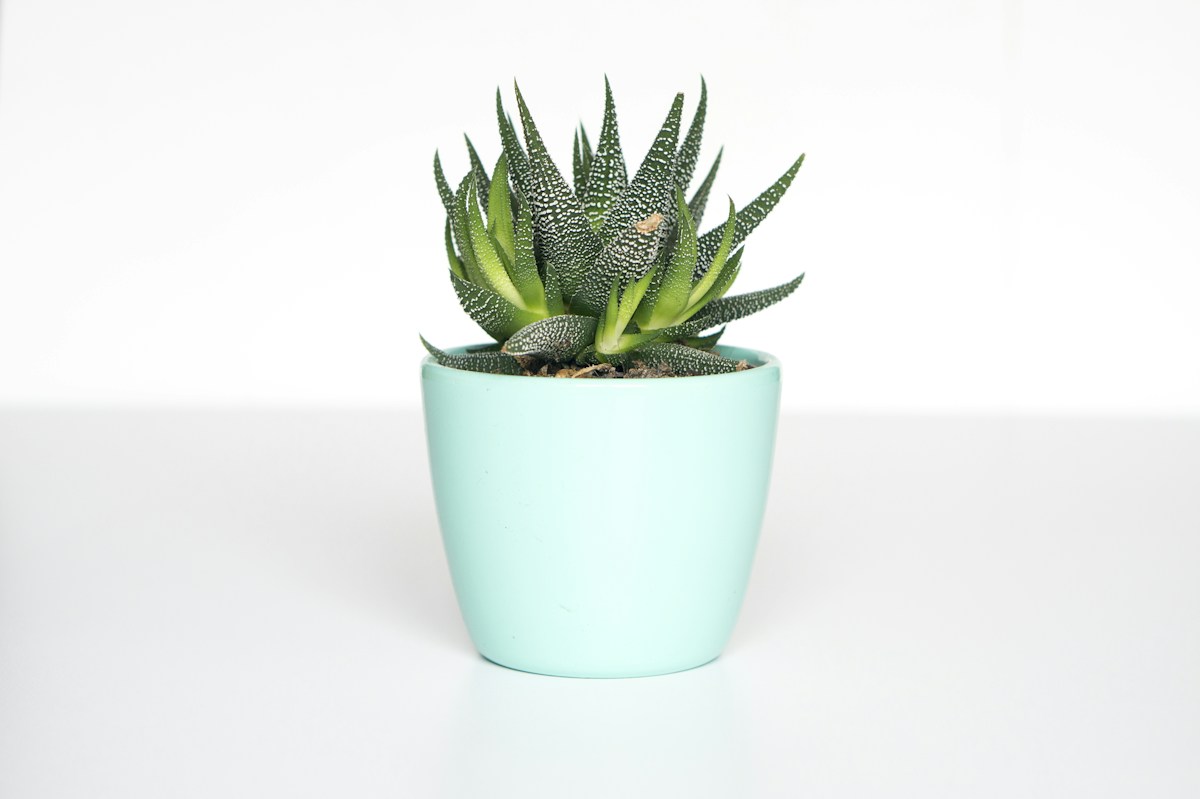
In today's competitive digital marketplace, product photography plays a crucial role in attracting customers and increasing sales. Whether you're selling on your own website, an online marketplace, or social media platforms, the quality of your product photos can significantly influence a customer's purchasing decision.
Studies have shown that shoppers often make judgments about products within seconds of viewing them. Since customers cannot physically touch or inspect products online, images become the primary source of information. High-quality product photos help build trust, showcase product details, and create a professional brand image.
Fortunately, you don't need expensive equipment or a professional photography studio to create stunning product images. By following a few proven techniques, you can dramatically improve the quality of your photos and make your products stand out.
Here are five essential tips for creating perfect product photos.
1. Use Proper Lighting
Lighting is the foundation of great product photography. Even the most expensive camera cannot produce professional-looking images if the lighting is poor.
Why Lighting Matters
Good lighting helps reveal product details, display accurate colors, reduce unwanted shadows, improve image clarity, and create a professional appearance.
Natural Light vs Artificial Light
Natural light is one of the easiest and most affordable options for beginners. Position your product near a large window during daylight hours to achieve soft and even illumination.
However, natural light can be inconsistent depending on weather and time of day. For more control, many photographers use artificial lighting such as LED lights or softboxes.
Avoid Harsh Shadows
Strong direct light can create harsh shadows that distract from the product. Use diffusers, white curtains, or light tents to soften the light and produce a cleaner look.
Use Multiple Light Sources
For larger products, using lights from different angles helps eliminate dark spots and ensures even lighting across the entire product.
2. Choose a Clean and Simple Background
Your product should always be the center of attention. A cluttered or distracting background can pull focus away from what you're trying to sell.
❌ What to Avoid
- Cluttered backgrounds
- Distracting patterns
- Messy environments
- Competing colors
✅ What to Use
- Clean white backgrounds
- Simple solid colors
- Subtle gradients
- Blurred environments
White Backgrounds
White backgrounds are widely used in e-commerce because they provide a clean and neutral look. Many online marketplaces even require white backgrounds for product listings. White backgrounds also make products appear brighter and more professional.
Lifestyle Backgrounds
While white backgrounds work well for product listings, lifestyle images can help customers visualize how the product is used in real life.
Furniture
Displayed in a living room setting
Clothing
Worn by a model
Kitchen Products
Shown in a cooking environment
3. Focus on Sharpness and Image Quality
Blurry or low-quality photos can quickly reduce customer confidence. Product images should be sharp, detailed, and high-resolution.
Use a Stable Surface
Camera movement is one of the most common causes of blurry images. A tripod can help keep your camera stable.
Clean Your Lens
A dirty lens can reduce image quality significantly. Make sure your camera or smartphone lens is clean.
Use Proper Camera Settings
Select settings that maximize image clarity: Lower ISO, appropriate aperture, correct focus point.
Take Multiple Shots
Take several photos from each angle and choose the sharpest image during editing.
4. Showcase Multiple Angles and Details
Customers want to understand exactly what they're buying. One photo is rarely enough to communicate all the important features of a product.
Capture Different Angles
Front view
Side view
Back view
Top view
Angled view
Highlight Key Features
Materials & Textures
Show the quality of your product
Buttons & Details
Highlight important features
Labels & Branding
Display your brand identity
Patterns & Special Features
Show what makes your product unique
Demonstrate Product Size
One common challenge in online shopping is understanding product dimensions.
5. Edit Your Photos Professionally
Even the best photos can benefit from basic editing. Photo editing helps refine images and create a polished final result.
Adjust Brightness and Contrast
Small adjustments can make products appear more vibrant and appealing without looking unnatural.
Correct Colors
Ensure the product's colors match the actual item as closely as possible to reduce customer dissatisfaction.
Remove Background Imperfections
Editing tools can help remove dust, wrinkles, reflections, and other distractions.
Crop Consistently
Using consistent image dimensions across all products creates a professional-looking catalog.
Optimize for Web Use
Compress images appropriately while maintaining visual quality for faster loading times.
Use AI Editing Tools
Modern AI-powered editing tools can: Remove backgrounds, upscale images for better quality, improve lighting, remove unwanted objects, and generate clean product cutouts
These tools can save significant time while producing professional results.
Try BG Remover Kit Now →Common Mistakes to Avoid
Even experienced sellers sometimes make photography mistakes that reduce image effectiveness.
The Impact of Great Product Photography
Investing time in better product photography can deliver significant business benefits.
Conclusion
Creating perfect product photos doesn't require a professional studio or expensive equipment. By focusing on proper lighting, choosing clean backgrounds, ensuring image sharpness, showcasing multiple angles, and applying thoughtful editing, you can produce high-quality images that attract customers and drive sales.
Remember that your product photos are often the first interaction potential customers have with your brand. Investing time and effort into creating professional visuals can make a significant difference in how your products are perceived.
Follow these five tips consistently, and you'll be well on your way to creating product photos that look professional, build trust, and help convert visitors into loyal customers.
Try BG Remover Kit Now →Written by BG Remover Kit
BG Remover Kit shares practical guides about AI background removal, transparent PNG creation, product photo editing, e-commerce visuals, secure image processing, and image upscaling.


Comments (3)
Jessica Wong
These tips are gold! I've been struggling with lighting for my jewelry photos. The diffuser tip really helped improve my images.
David Kim
Thanks for sharing! The multiple angles tip made a huge difference in my product listings. Sales have definitely improved.
Leave a Comment